12 November 2026
What New Zealand Families Should Look for in a Medical Alarm With GPS
Presented by @thepeacefulcaregiver
A practical guide for choosing a GPS tracker for an older relative
When a parent or grandparent lives alone, or even just spends time out of the house without you, a medical alarm with GPS can bring real peace of mind. These devices have moved well beyond the simple pendant that only works at home. Modern trackers combine location technology with two-way communication and automatic alerts, which means help can reach someone even if they cannot press a button. But with several models on the market, it can be hard to know which features actually matter for daily life in New Zealand. This article runs through the points worth checking before you buy.
How the device finds its location
Not all GPS trackers work the same way. Some rely entirely on satellite signals, which can be slow to lock on indoors or in built-up areas. Others combine GPS with Wi-Fi positioning, so the device knows roughly where it is the moment it connects to a known network. For an older person who spends most of their time at home, Wi-Fi location can mean a faster fix if they wander outside or need help in the garden. A medical alarm with GPS that also uses Wi-Fi is generally more reliable in urban settings and can reduce the time it takes for a caregiver to find them.
Battery life and charging habits
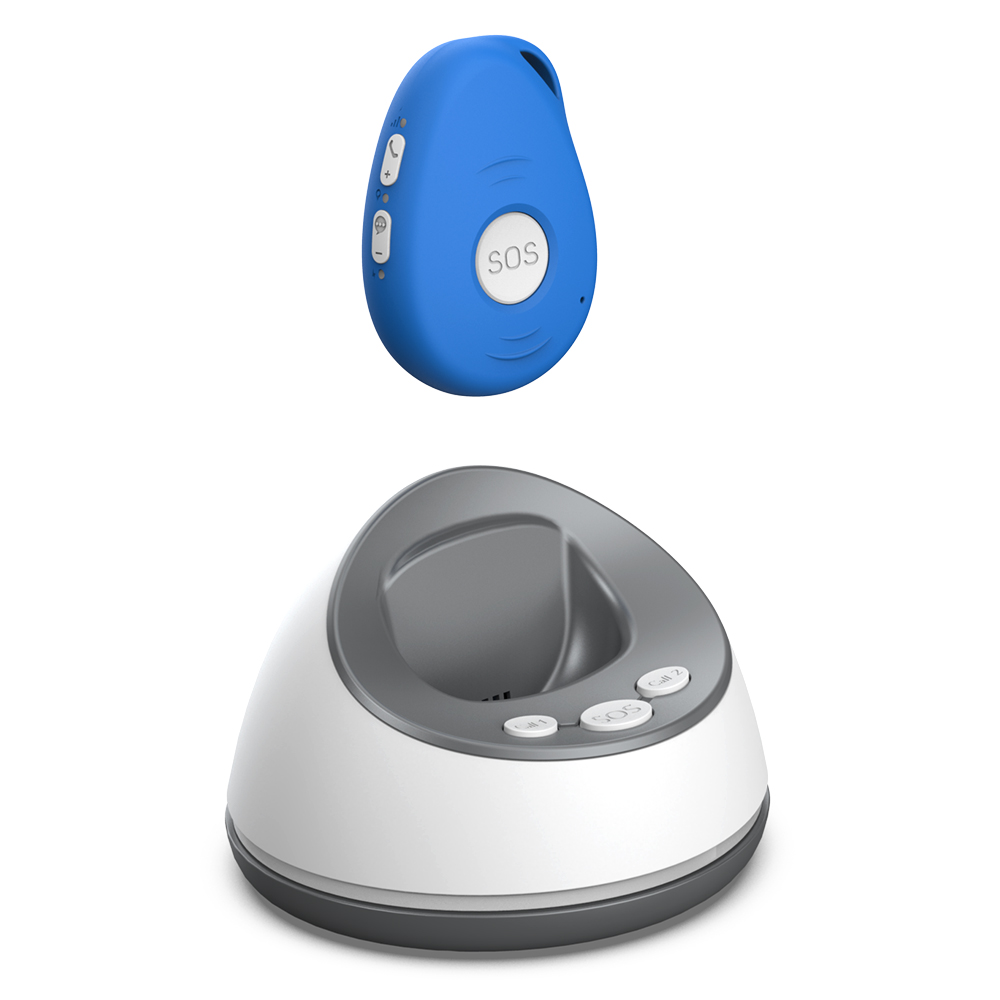
One of the most common frustrations with any wearable device is a battery that dies at the wrong moment. If the tracker needs charging every day, there is a good chance it will be left on the bedside table more often than it is worn. Look for a model that lasts several days on a single charge, especially if the person using it is not in the habit of plugging things in overnight. Some devices come with a charging dock that is easy to use, while others use a standard cable. Think about what will suit the user, not just what looks convenient on paper.

Fall detection that works without false alarms
Automatic fall detection is a feature many families look for first. The technology has improved, but it is not perfect. Some devices are too sensitive and trigger alerts when someone bends over to tie a shoe or reaches for a low shelf. Others miss a genuine fall because the sensor does not register the right motion. A good medical alarm with GPS will have adjustable sensitivity or use multiple sensors to reduce false alarms. It is worth asking how the device handles different types of falls, and whether the user can cancel an accidental alert easily. That last point matters a lot for someone who does not want to worry their family over nothing.
The SOS button and who gets the alert
A simple, physical SOS button remains the most reliable way for a person to call for help. Some trackers only offer a button on a phone app, which is not much use if the phone is in another room or the user has trouble with touchscreens. A physical button, preferably large enough to press with a shaky hand, is a better choice. The alert should reach someone who can act quickly. That could be a family member, a neighbour, or a monitoring service. In New Zealand, many families prefer to be the first point of contact rather than a call centre. If that is your situation, check that the device lets you set up a list of emergency contacts and that it can send alerts by both mobile data and Wi-Fi to ensure coverage.
When you are comparing options, sites like familyr.co.nz can help you see how different trackers match up against the real needs of New Zealand families. It is worth spending time on a resource that focuses on local conditions rather than generic overseas advice.
Wearing options and everyday comfort
A tracker that is uncomfortable or awkward to wear will end up in a drawer. Most medical alarms with GPS come as a pendant on a cord, a clip-on device, or a wristband. Each has pros and cons. A pendant can be worn under clothes and is easy to reach for the SOS button, but some people find the cord gets caught on door handles. A wristband is more like a watch and feels natural, but the screen or button might be too small for arthritic fingers. A clip-on design can attach to a belt or pocket, though it may fall off during activity. The right choice depends on the person's habits, dexterity, and whether they already wear a watch or jewellery. If possible, let them try the wearing style before you commit.

Mobile coverage and network reliability
New Zealand has good mobile coverage in the main centres, but rural areas and parts of the South Island can have weaker signals. A medical alarm with GPS that only works on one mobile network might leave the user without a connection when they are at the bach or on a road trip. Look for a device that uses a network with broad coverage across the country, or one that can fall back to Wi-Fi when mobile data is unavailable. Some trackers also use a roaming SIM that switches between networks automatically. This is a detail worth confirming with the seller, because coverage maps can be misleading for the kind of low-power signal these devices use.
Monthly fees and what they cover
Many GPS trackers require a monthly subscription for the data connection and the monitoring service. These fees can add up over a year, and some families are caught out by contracts that are hard to cancel. A few devices, including those designed for New Zealand users, operate without recurring charges. That can make a big difference for a fixed budget. If you do choose a subscription model, be clear on what it includes: some plans only cover the mobile data, while others include a call centre that will contact emergency services on your behalf. Consider what level of support your family actually needs before you sign up for extras you will never use.
Two-way communication and voice quality
Being able to speak through the device is a feature that is often overlooked until it is needed. If the person falls and cannot get up, they may be able to tell you what happened or ask for specific help. Two-way communication also allows you to call them and check in without needing them to answer a phone. The voice quality matters here. A tinny speaker or a weak microphone can make a conversation frustrating, especially in a noisy environment or for someone with hearing loss. When you test a device, try the voice function in a few different rooms to see how clear it sounds.
For a thorough look at what is available, resources such as familyr.co.nz offer comparisons that focus on the features New Zealand families actually need. Taking the time to check these details before you buy can save a lot of frustration later and give you a device that works quietly in the background until it is really needed.
Putting it all together
Choosing a medical alarm with GPS does not have to be overwhelming. Start with the basics: reliable location finding, a battery that lasts, and a simple way to call for help. Then add the features that fit the person's lifestyle, whether that is fall detection, two-way talk, or a comfortable way to wear it. Check the mobile coverage where they live and travel, and understand the cost structure before you commit. The right device is one that the user will actually wear and that you can trust to work when it matters. For families in New Zealand, there are good options available that balance these priorities without locking you into ongoing fees. Focus on the practical details, and you will find a tracker that supports your family's peace of mind.